 Player guides
How to join a Minecraft server: Java, Bedrock, Xbox, Switch, and IPs
Copy the right server address, match Java or Bedrock, check the port and version, then add the server from Minecraft's multiplayer menu.
To join a Minecraft server, copy the server address, open the multiplayer or servers menu in Minecraft, paste the address, and connect with the right edition. Java players use the Multiplayer menu. Bedrock players on Windows, mobile, and some platforms use the Servers tab. Xbox and Nintendo Switch are Bedrock, but custom IP joining can be limited on consoles.
The two things that matter most are edition and address. A Java server usually will not work in Bedrock, and a Bedrock server usually will not work in Java unless the server owner has set up crossplay support.
Start by finding a server that matches your edition. On ServerBuddy, browse the Minecraft server list, filter to Java servers or Bedrock servers, then copy the address from a live listing.
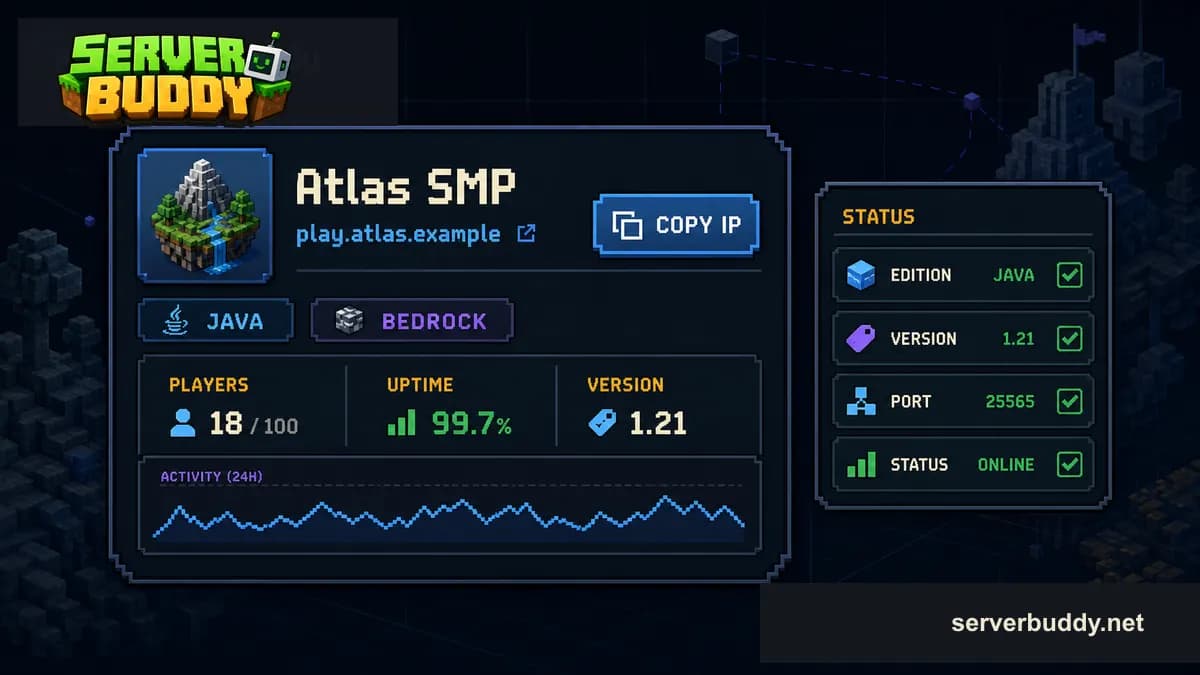
Quick steps by platform
| Platform | Where to go | What you need |
|---|---|---|
| Java Edition on PC | Multiplayer > Add Server or Direct Connection | Server address, sometimes a port |
| Bedrock on Windows or mobile | Play > Servers > Add Server | Server name, address, and port |
| Xbox | Servers tab, Featured Servers, Realms, Friends, or server-specific console instructions | Microsoft account, multiplayer access, and sometimes a workaround for custom IPs |
| Nintendo Switch | Servers tab, Featured Servers, Realms, Friends, or server-specific console instructions | Microsoft account, Nintendo online access, and sometimes a workaround for custom IPs |
| PlayStation | Similar to other Bedrock consoles | Microsoft account and multiplayer access |
The official Minecraft server guide describes the same split: Bedrock uses Play > Servers, while Java uses Multiplayer with Direct Connection or Add Server. Minecraft Help also notes that matching editions and game versions matter for multiplayer, which is why ServerBuddy shows edition and version on each listing.
Before you join, check these things
| Check | Why it matters |
|---|---|
| Edition | Java and Bedrock servers use different connection systems. |
| Version | Some servers only support certain Minecraft versions. |
| Address | One typo can cause Unknown host or Unable to connect. |
| Port | Java often uses 25565. Bedrock often uses 19132. Custom ports must be entered exactly. |
| Status | An offline server will not respond even if the address is correct. |
| Whitelist | Some servers only allow approved players. |
| Player count | A full server may reject new joins until a slot opens. |
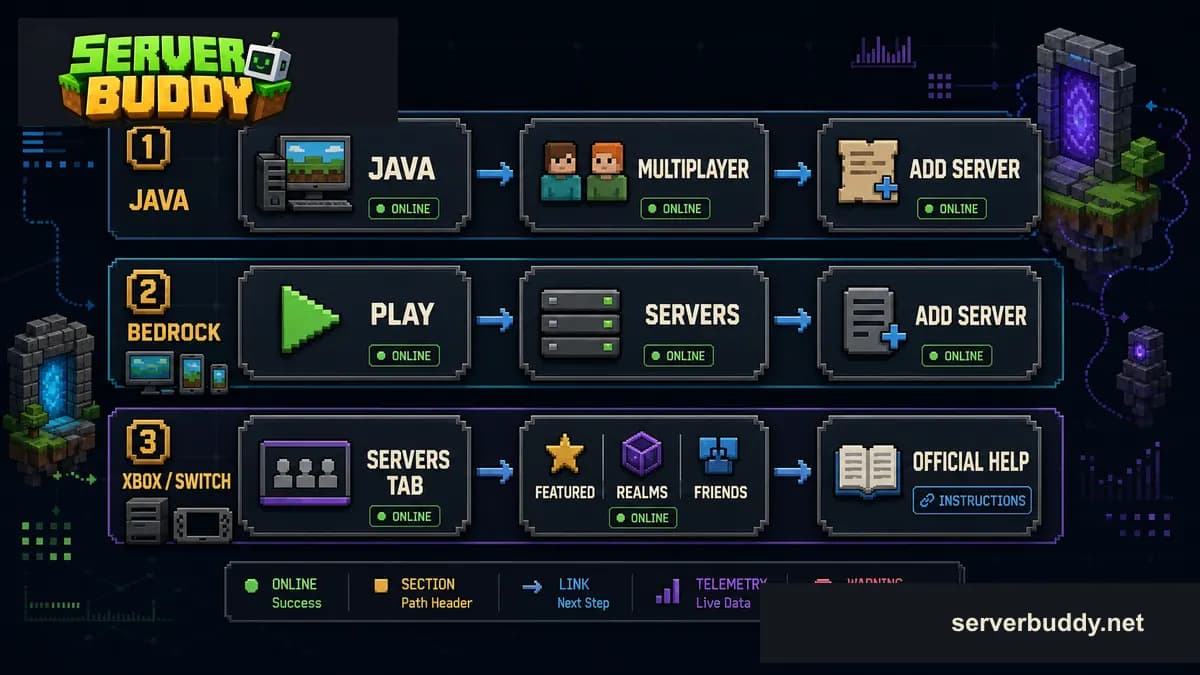
ServerBuddy is useful here because each listing shows live status, edition, version, players, uptime, and the address to copy. For version-specific browsing, start with Minecraft 1.21 servers or choose another version from the server list.
How to join a Minecraft Java server
Use this if you play Minecraft: Java Edition on PC, Mac, or Linux.
- Open Minecraft: Java Edition.
- Click Multiplayer.
- Choose Add Server if you want to save the server, or Direct Connection if you only want to test it once.
- Paste the server address into the Server Address field.
- Click Done if you used Add Server.
- Select the server from the list.
- Click Join Server.
A Java server address often looks like this:
play.example.netSome servers use a custom port. In that case, the address may look like this:
play.example.net:25570Add Server vs Direct Connection
Use Add Server for a server you plan to revisit. It saves the server in your multiplayer list, so you can see its MOTD, player count, and connection status later.
Use Direct Connection when you want to test an address once. This is useful when a friend sends an IP and you are not sure whether it is active.
How to join a Minecraft Bedrock server
Use this for Minecraft Bedrock on Windows, Android, iPhone, iPad, and other Bedrock platforms that show the Add Server button.
- Open Minecraft.
- Select Play.
- Open the Servers tab.
- Scroll down and choose Add Server.
- Enter a Server Name. This can be anything you recognize.
- Enter the Server Address.
- Enter the Port.
- Save the server or tap Play.
A Bedrock server address usually has a domain or IP plus a port. The default Bedrock port is usually:
19132Server Address: bedrock.example.net
Port: 19132If ServerBuddy shows a non-default port, use the port from the listing. Bedrock is less forgiving than Java here. A correct address with the wrong port usually fails.
How to join a Minecraft server on Xbox
Xbox uses Minecraft Bedrock Edition. That means you need a Bedrock-compatible server, not a Java-only server.
- Sign in with the Microsoft account you use for Minecraft.
- Make sure multiplayer is allowed in Xbox privacy or family settings.
- Open Minecraft.
- Select Play.
- Open the Servers tab.
- Join a featured server, a Realm, a friend's world, or a server available through the menu.
Custom public server IPs are the tricky part. Many Xbox players do not see an Add Server button for arbitrary server addresses. Minecraft Feedback still has active requests for an Add Server button on consoles, so treat custom-IP console instructions as server-specific, not a normal Minecraft menu flow.
Some console guides use DNS-based methods or companion apps to route the console to a custom Bedrock server. Those methods are outside Minecraft's normal Add Server flow. Do not change DNS settings to an address you do not trust, and do not enter Microsoft account details into third-party server tools.
For Xbox, start with Bedrock servers. If a listing only says Java, it is not the right target for Xbox unless the server owner clearly says they support Bedrock crossplay.
How to join a Minecraft server on Nintendo Switch
Nintendo Switch also uses Minecraft Bedrock Edition. The same edition rule applies: choose a Bedrock server.
- Sign in to Minecraft with your Microsoft account.
- Make sure your Nintendo account has the online access needed for multiplayer.
- Open Minecraft.
- Select Play.
- Open the Servers tab.
- Join a featured server, Realm, friend's world, or available server entry.
Like Xbox, Switch often does not provide a simple Add Server button for custom public IPs. If a public server says it supports Switch, follow that server's console instructions carefully.
A ServerBuddy Bedrock listing can still help you check the address, port, live player count, uptime, and version. But if your Switch menu does not let you add a custom server, the IP alone will not be enough.
What is a Minecraft server IP?
A Minecraft server IP is the address your game uses to find the server. Players often say IP even when the address is a domain name.
play.example.net
mc.example.org
192.0.2.10
play.example.net:25565
bedrock.example.net:19132
A domain name, such as play.example.net, is easier to remember. A numeric IP points directly to a server address. A port is the number after the colon.
For Java, the default port is usually 25565. For Bedrock, the default port is usually 19132. If a server uses the default port, many listings leave it out. If a listing shows a custom port, copy it.
How to find a server IP on ServerBuddy
Do not judge a server only by current players. A server with 0 players right now can still be active at a different time of day. Check uptime, weekly activity, and version compatibility before deciding it is dead.
Java vs Bedrock servers
| Question | Java | Bedrock |
|---|---|---|
| Main devices | PC, Mac, Linux | Windows, mobile, Xbox, Switch, PlayStation |
| Join menu | Multiplayer | Play > Servers |
| Usual default port | 25565 | 19132 |
| Can join most Java servers | Yes | No |
| Can join most Bedrock servers | No | Yes |
| Console support | Not for Java Edition | Xbox, Switch, and PlayStation use Bedrock |
Some public servers use proxy software that lets Bedrock players join a Java network. Do not assume that works unless the server says so. If ServerBuddy labels a server as Java, use Java. If it labels a server as Bedrock, use Bedrock.
Common errors when joining a Minecraft server
| Error or problem | What it usually means | What to try |
|---|---|---|
| Unknown host | The address is wrong or DNS cannot find it. | Copy the address again. Remove spaces. Check spelling. |
| Connection timed out | The server did not answer in time. | Check the server status, try later, or test another server. |
| Outdated client | Your Minecraft version is too old for the server. | Update Minecraft or choose a server that supports your version. |
| Outdated server | The server is older than your client. | Use a matching game version if you are on Java, or choose another server. |
| You are not whitelisted | Only approved players can join. | Ask the server owner to add you or choose a public server. |
| Server is full | No player slots are open. | Wait, or pick another active server. |
| Invalid session | Your login session failed. | Restart Minecraft and the launcher. |
| Unable to connect to world | Common Bedrock connection error. | Check edition, port, account permissions, and server status. |
For a public server that might be offline, use the Minecraft server status checker. It can help confirm whether the address responds before you keep changing settings.
If you run your own server and players cannot join, read Why is my Minecraft server offline?. If the message says players are not allowed, the server may be private or whitelisted. The whitelist guide explains that side from the owner's view.
How to choose a server before joining
| What to check | Why it helps |
|---|---|
| Game mode | Survival, SMP, Skyblock, Lifesteal, Factions, and Minigames all play differently. |
| Edition | A Bedrock player needs a Bedrock server. A Java player usually needs Java. |
| Version | Version mismatch is one of the easiest ways to get blocked at join. |
| Uptime | Higher uptime means the server responds more reliably. |
| Current players | Shows who is online right now. |
| Weekly peak | Shows whether the server gets activity at other times. |
| Rules | A good server explains griefing, PvP, chat, claims, and allowed mods. |
| Whitelist | Some private SMPs require approval before joining. |
For a first server, avoid anything that makes you install unknown files or join through confusing third-party instructions. Start with a public, active, clearly labeled server.
Pick the right edition first: browse Java servers if you play Java Edition on PC, or Bedrock servers if you play on Bedrock. Running your own public world? Submit it on Add your Minecraft server after it is online and reachable.
FAQ
Can Java players join Bedrock servers?
Usually no. Java and Bedrock are separate editions. A Java player should use a Java server, and a Bedrock player should use a Bedrock server. A few networks support crossplay, but the server has to set that up.
Can Bedrock players join Java servers?
Usually no. Bedrock cannot join a normal Java server by pasting the Java IP. Choose a Bedrock server unless the server clearly says it supports Bedrock crossplay.
Do I need a port to join a Minecraft server?
Sometimes. Java servers often use the default port 25565, so you may only need the address. Bedrock servers often use 19132, and many Bedrock join menus ask for the port as a separate field.
Where do I paste a Minecraft server IP?
On Java, go to Multiplayer, then Add Server or Direct Connection. On Bedrock, go to Play, then Servers, then Add Server if your platform shows that option.
Why can't I add a server on Xbox or Switch?
Xbox and Switch use Bedrock, but console versions may not show an Add Server button for custom IPs. You can still use featured servers, Realms, and friend worlds.
Why does Minecraft say outdated client?
Your game version is older than the server expects. Update Minecraft, or on Java, create a launcher installation that matches the server's supported version.
Why does Minecraft say outdated server?
The server is running an older version than your game. On Java, you may be able to switch to the server's version in the launcher. On Bedrock, you usually need the server to update or choose another server.
How do I know if a server is online?
Check whether it responds in Minecraft, or use the ServerBuddy status checker. On ServerBuddy listings, an online server has recent live telemetry, player data, version information, and uptime history.
Are public Minecraft servers safe?
Public servers are not all the same. Join servers with clear rules, active moderation, and a real community. Do not share personal information or enter your Microsoft password anywhere except official Microsoft or Minecraft sign-in pages.