
 Player discovery
Minecraft Pixelmon servers: how to choose an active Pixelmon server
Compare Pixelmon Minecraft servers by live players, weekly peak, uptime, version, modpack requirements, rules and setup clarity before copying an IP.
An active Pixelmon server has more than a live player count. Before joining, check whether the server matches your Minecraft version, mod loader, modpack, uptime expectations, rules, and preferred playstyle.
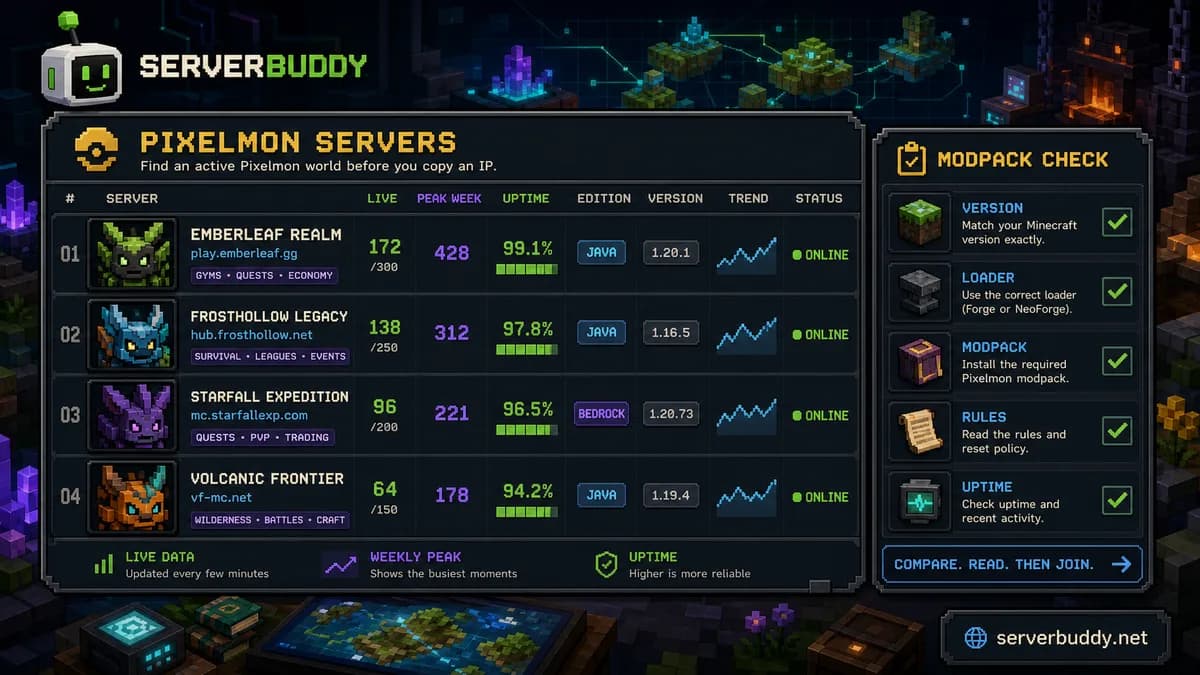
The fastest route is to use a live Pixelmon Minecraft servers list, then compare current players, weekly activity, uptime, edition, version, and setup notes before copying an IP.
What is a Pixelmon Minecraft server?
A Pixelmon Minecraft server is a modded Minecraft server built around monster catching, battling, training, gyms, quests, trading, and survival progression. ServerBuddy's Pixelmon category describes these servers as combining Minecraft survival with monster catching and modded progression, and it recommends comparing them by live players, version, uptime, and modpack requirements. (ServerBuddy)
Most players search for Pixelmon servers because they want a public world where the mod already has towns, gyms, an economy, events, and other players. The hard part is not finding any server. The hard part is finding one that is active, compatible with your client, and not dead after the spawn area.
Start with the modpack, version, and loader
Pixelmon is not the same as joining a normal vanilla survival server. The official Pixelmon download page says Pixelmon releases are tied to specific Minecraft versions and paired with NeoForge or Forge. It also tells players to match the Minecraft version before downloading. (Pixelmon Mod)
Before joining a Pixelmon server, check:
| What to check | Why it matters |
|---|---|
| Minecraft version | A server on 1.21.1 may not work with a 1.16.5 client. |
| Loader | Pixelmon releases may use Forge or NeoForge depending on the version. |
| Modpack name | Some servers add extra mods, resource packs, or custom configs. |
| Launcher instructions | A server may require CurseForge, Modrinth, ATLauncher, or a custom pack. |
| Server edition | A Java listing and a Bedrock listing may need different setup steps. |
ServerBuddy's Pixelmon page also notes that modded servers usually require the matching Minecraft version, mod loader, and modpack. (ServerBuddy) Do this check before judging a server by its player count. A busy server is still a bad fit if your client cannot connect.
Use live data before copying an IP
Server lists can look similar at first. The useful difference is live data.
On ServerBuddy's Pixelmon list, you can sort Pixelmon servers by Recommended, Players now, Avg today, Peak week, Uptime, and Newest. The page shows individual listings with status, edition, supported version, current players, and uptime. (ServerBuddy)
Here is how to read those numbers:
| Metric | What it tells you | What it does not prove |
|---|---|---|
| Current players | People are online right now. | The server is active at your usual play time. |
| Avg today | The server has had players across the day. | The server is beginner-friendly. |
| Peak week | The server still gets traffic during busy hours. | The community is healthy. |
| Uptime | The server responds reliably to status checks. | The gameplay is fun or balanced. |
| Version | Your client may be able to connect. | Your modpack is definitely correct. |
| Edition | Whether to use Java or Bedrock setup steps. | The server supports every platform. |
A server with 0 players right now can still be worth checking if it has a strong weekly peak and good uptime. A server with many players right now can still be a poor choice if it has unclear rules, confusing setup instructions, or a modpack that does not match your launcher.
Active Pixelmon servers to compare
Browse live Pixelmon listings ranked by player activity, uptime, version and edition before choosing a server.

bmc.mc-complex.com8,777 online

jogar.bvrpixelmon.com.br454 / 5,000 players

jogar.survivalbrasil.com.br449 / 5,000 players
What makes a Pixelmon server active?
For this guide, an active Pixelmon server has four signs:
| Sign | Good signal |
|---|---|
| It responds online | The server status page shows it is reachable. |
| It has recent player activity | Current players, average today, or weekly peak show recent use. |
| It has stable uptime | The server is not constantly disappearing. |
| It has a clear gameplay loop | New players can understand what to do after joining. |
Do not use one signal alone. Current players tell you what is happening now. Weekly peak tells you whether the server still gets traffic. Uptime tells you whether the server usually responds. Rules, spawn design, quests, gyms, claims, and economy tell you whether you will want to keep playing.
Check the gameplay loop
A good Pixelmon server should make the first hour clear. You should be able to tell how to start, where to train, whether gyms exist, how claims work, and whether there are server-specific rules.
Look for details like:
| Feature | Why players care |
|---|---|
| Gyms or leagues | Gives players a goal beyond catching. |
| Quests | Helps new players learn the server. |
| Claims or grief protection | Reduces the chance of losing builds. |
| Economy | Makes trading, shops, and rewards easier to understand. |
| Events | Gives returning players a reason to log in. |
| Reset policy | Helps you avoid building on a world that wipes unexpectedly. |
| Rules | Tells you whether PvP, stealing, scams, and alt accounts are allowed. |
If a server page or Discord cannot explain the basics, expect friction. That does not always mean the server is bad, but it means new players will need more patience.
Java, Bedrock, and Pixelmon setup
Full modded Pixelmon setup usually depends on the correct Minecraft version and loader. That means Java players should pay close attention to the modpack instructions. Pixelmon's own downloads are organized by Minecraft version and Forge or NeoForge loader, so guessing the version is a common way to fail before you even reach the server. (Pixelmon Mod)
Bedrock listings need extra care. A Bedrock server that uses "Pixelmon" in its title may use add-ons, custom systems, or a different setup than a Java modded Pixelmon server. Check the edition label, IP, port, and server instructions before joining. ServerBuddy's joining guide recommends matching the server edition, version, address, port, status, whitelist rules, and player count before connecting. (ServerBuddy)
Use these internal pages when comparing:
Pixelmon vs Cobblemon servers
Pixelmon and Cobblemon are separate modded server families. Do not choose only by name. Choose by setup, activity, rules, and the kind of server you want.
ServerBuddy keeps Pixelmon and Cobblemon as separate modded collections when inventory exists, and the modded hub shows both categories among other modded server types. (ServerBuddy)
A simple way to decide:
| Choose this | When it fits |
|---|---|
| Pixelmon | You want a long-running Pixelmon-style server with gyms, quests, custom features, and established communities. |
| Cobblemon | You want to compare a different modded monster-catching ecosystem and see which servers are active there. |
| Either | You mainly care about player count, uptime, rules, and whether setup is easy. |
The mod name matters less than the server experience. A smaller server with clear rules and steady uptime can be better than a busier server where new players cannot figure out the modpack or rules.
How to choose a Pixelmon server on ServerBuddy
Use this process before copying an IP:
- Open the Pixelmon Minecraft servers page.
- Sort by Players now if you want a server with people online immediately.
- Sort by Peak week or Avg today if you want signs of recent activity.
- Sort by Uptime if reliability matters more than crowd size.
- Check the edition and supported Minecraft version.
- Read the server's setup notes, modpack requirements, and rules.
- Copy the IP only after the server matches your client and playstyle.
ServerBuddy's general joining guide also recommends checking uptime, weekly activity, version compatibility, and the server's address before joining, not just current player count. (ServerBuddy)
What to avoid before joining
Be careful with any server that has:
| Red flag | Why it matters |
|---|---|
| No clear version or modpack instructions | You may waste time installing the wrong setup. |
| Good player count but poor uptime | The server may be unstable. |
| Confusing Discord-only setup | New players may get stuck before joining. |
| No rules around griefing or claims | Builds and storage may be risky. |
| Heavy pay-to-win language | Competitive play may feel unfair. |
| No reset policy | You may not know how long your progress will last. |
A server does not need to be perfect. It should be clear enough that you know what you are joining.
Quick checklist for active Pixelmon servers
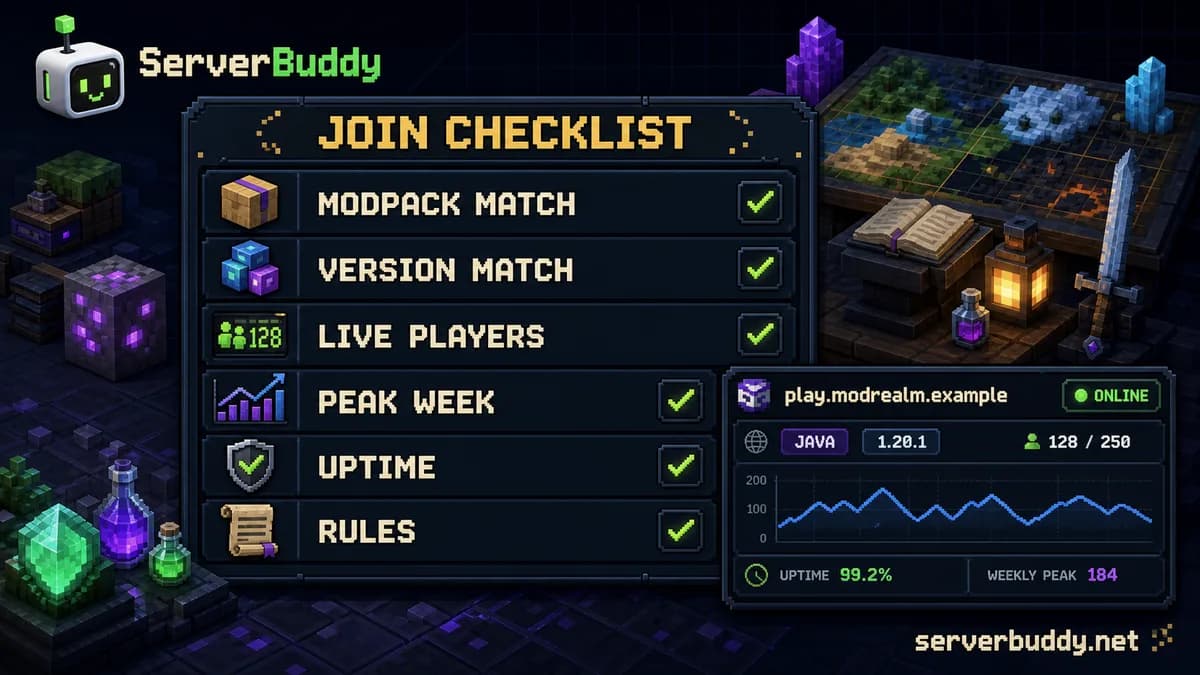
Use this before joining:
| Question | Good answer |
|---|---|
| Does the server respond online? | Yes, and it has recent status data. |
| Does it match my edition? | Java or Bedrock is clearly labeled. |
| Does it match my Minecraft version? | The version is visible and matches my setup. |
| Does it require a modpack? | The modpack name and loader are clear. |
| Does it have recent activity? | Current players, avg today, or peak week show use. |
| Is uptime stable? | The server is not repeatedly offline. |
| Are rules visible? | Claims, PvP, griefing, trading, and resets are explained. |
| Is there something to do after spawn? | Gyms, quests, economy, events, or progression are explained. |
For Pixelmon server owners
If you run a Pixelmon server, make the setup obvious. Players leave quickly when they cannot tell which modpack, loader, version, IP, or port to use.
Before promoting a Pixelmon server, test whether it is publicly reachable. ServerBuddy's Minecraft server status checker checks Java and Bedrock addresses, resolves DNS and Java SRV records, auto-detects edition, and shows latency, version, protocol, players, MOTD, icon, and failure reasons. (ServerBuddy)
A good public listing should include:
| Listing detail | Why it helps |
|---|---|
| Exact Pixelmon version | Reduces failed joins. |
| Minecraft version | Helps players match their client. |
| Forge or NeoForge requirement | Prevents loader confusion. |
| Launcher or modpack link | Makes setup easier. |
| Rules and reset policy | Sets expectations before joining. |
| Uptime and status | Helps players trust the server. |
| Clear MOTD | Shows version, playstyle, and key rule notes quickly. |
After your server responds publicly, add it through Add your Minecraft server. You can also improve the listing with a clear MOTD, server icon, and setup notes.
FAQ
What is the best Minecraft Pixelmon server?
The best Pixelmon server is the one that matches your version, modpack, edition, and playstyle while showing recent activity and stable uptime. Use the live Pixelmon server list instead of relying on an old static ranking.
Do I need the same modpack to join a Pixelmon server?
Usually, yes. Pixelmon releases are tied to specific Minecraft versions and loaders, and servers may add extra mods or configs. Check the server's setup instructions before joining. (Pixelmon Mod)
How do I find Pixelmon server IPs?
Open the live Pixelmon Minecraft servers list, compare the listings, then copy the server address once the version, edition, modpack, and rules fit what you want.
Can Bedrock players join Pixelmon servers?
Some listings may target Bedrock players, but a Bedrock "Pixelmon" server may not use the same setup as a Java modded Pixelmon server. Check the edition label, port, and server instructions before joining.
Is current player count enough to choose a server?
No. Current players only show activity right now. Check weekly peak, average today, uptime, version, and rules before deciding.
What uptime should I look for?
Higher uptime is usually better, but it should not be the only factor. A server with strong uptime, recent players, clear setup instructions, and fair rules is safer than a server with only a large current player count.
Should I choose Pixelmon or Cobblemon?
Try both if you are unsure. Treat them as separate modded server types, then compare activity, setup, rules, and uptime. ServerBuddy has separate pages for Pixelmon servers and Cobblemon servers when those listings are available.