
 Player discovery
Minecraft Factions servers: how Factions works and what to check before joining
Learn how Factions works, what claims and power mean, and how to check activity, uptime, resets, raid rules and store perks before copying an IP.
Minecraft Factions servers are survival servers built around teams, land claims and raids. Instead of playing alone in a normal survival world, you join or create a faction, claim territory, build a base, manage members and compete with other groups.
A good Factions server gives you a reason to log in with the same team every day. A bad fit can waste your time quickly. Rules, reset dates, raid settings, power systems and paid perks can change the whole season, so check more than the server name before you copy an IP.
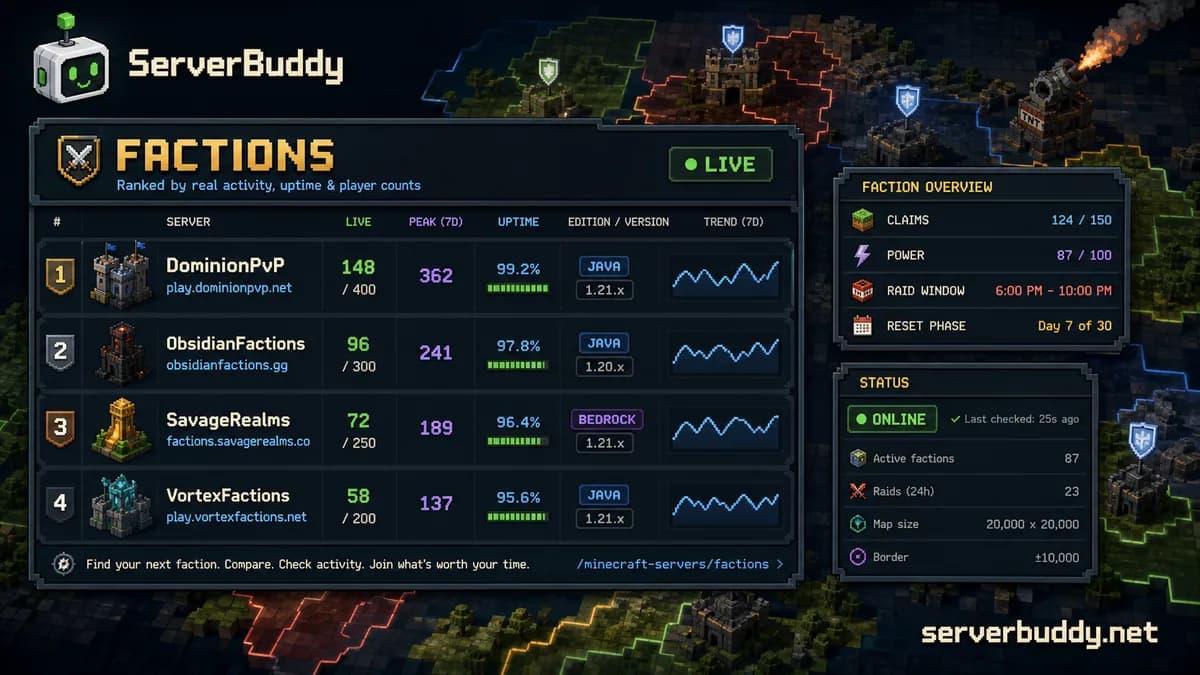
You can compare active Minecraft Factions servers on ServerBuddy by live players, weekly peak, uptime, edition and version support.
What is a Minecraft Factions server?
A Factions server is a multiplayer survival world where players form teams called factions. A faction can claim land, build a protected base, invite members and set relationships with other factions.
| Feature | What it means |
|---|---|
| Factions | Player-made teams with members, ranks and permissions |
| Claims | Land controlled by a faction, usually by chunk |
| Power or DTR | A system that decides how much land a faction can safely hold |
| Raiding | Attacking or breaking into enemy bases under server rules |
| Economy | Money, spawners, shops, auctions or other value systems |
| Resets | Fresh seasons where the map, economy or leaderboard starts over |
/f top | A leaderboard for the richest or strongest factions |
Factions is not an official vanilla Minecraft mode. It is a server style built with plugins and custom settings. That means two servers can both be called Factions while playing very differently.
One server might be casual, with long grace periods and smaller teams. Another might be built around constant PvP, cannoning, paid kits and strict competitive seasons.
How Factions works
The core loop is simple: your faction claims land, builds a base, gathers value and tries to avoid being raided.
- The server resets and opens a fresh map.
- Players create factions or join existing teams.
- Factions claim land and start building bases.
- Teams grind money, gear, spawners or other value.
- Raiding opens after a grace period or set date.
- Factions attack, defend and compete for leaderboard spots.
- The season ends, rewards are given, and the next reset starts.
That reset cycle is a big part of Factions. Joining on day one is very different from joining three weeks into a map. Early season is about claiming land and building a setup. Mid-season is more about raids, defense and economy. Late-season can be rough for new players because top factions may already have better gear, richer bases and more members.
Claims, chunks and base protection
Most Factions servers use chunk-based land claims. A chunk is a 16 by 16 block area in the Minecraft world. When your faction claims a chunk, that land usually becomes protected from normal enemy building or breaking.
The exact protection depends on server settings. Some claims block all enemy edits. Some allow explosions, TNT cannons or creeper eggs. Some servers disable certain raid methods during grace periods or shield hours.
| Question | Why it matters |
|---|---|
| Can enemies break blocks in claims? | This decides how safe your base is. |
| Do TNT cannons work? | Some Factions servers are built around cannoning. Others limit it. |
| Are there shield hours? | Shield systems can stop raids during certain times. |
| Can factions overclaim land? | Overclaiming can let enemies take land if your faction becomes weak. |
| Are printer mods allowed? | Some servers allow fast base building tools. Others ban them. |
Do not assume claims mean your base is safe forever. On many Factions servers, claim protection depends on power, DTR or raid rules.
Power and DTR explained
Power is one of the most important Factions mechanics. On many servers, each player has power. Your faction's total power controls how much land the faction can hold.
| System | What happens |
|---|---|
| Players gain power | Usually by staying alive and playing |
| Players lose power | Usually by dying or leaving |
| Faction power adds up | A faction's land limit is based on member power |
| Low power creates risk | Enemies may be able to raid or overclaim if your claims exceed your power |
Some servers use DTR instead. DTR means deaths till raidable. In that setup, a faction can become raidable after enough members die.
The exact numbers vary by server, but the player lesson is the same: dying can affect your whole team. It may not just cost your inventory. It can make your faction easier to raid.
Common Factions commands
Commands vary, but many Factions servers use /f commands. New players usually see commands like:
| Command | Common use |
|---|---|
/f create | Create a faction |
/f invite | Invite a player |
/f join | Join a faction |
/f claim | Claim land |
/f unclaim | Remove a claim |
/f map | View nearby faction claims |
/f home | Teleport to the faction home |
/f power | Check power |
/f relation | Set ally, truce, neutral or enemy status |
/f top | View faction leaderboard |
Some modern Factions servers replace parts of this with menus, GUIs, NPCs or custom commands. Treat the commands above as a starting point, not a promise.
What to check before joining a Factions server
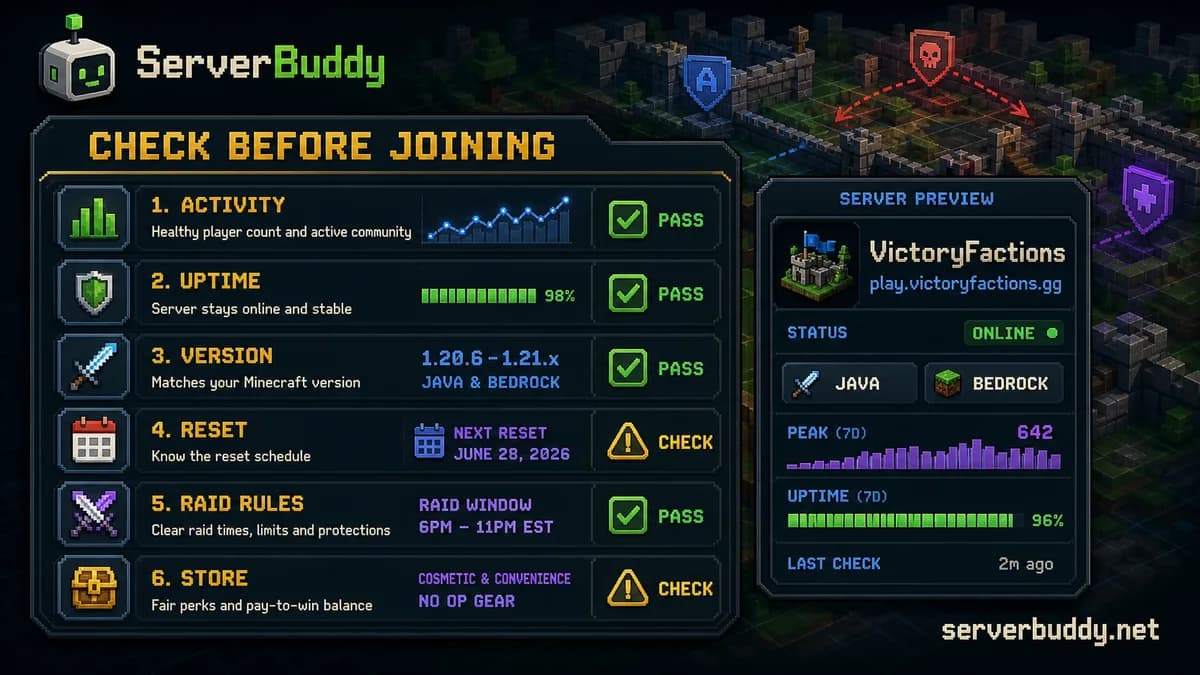
Start with the basic connection details. Check whether the server supports Java or Bedrock, what version it runs, and whether your client can join. A Java-only Factions server will not work from Bedrock unless it has crossplay support.
Then check the season details. Factions is more timing-sensitive than normal survival. A server can look active but still be a bad choice if the season is about to reset tomorrow.
| Check | What to look for |
|---|---|
| Current players | Are people online right now? |
| Weekly peak | Does the server get players at busier times? |
| Uptime | Does the server stay online reliably? |
| Edition | Java, Bedrock or crossplay |
| Version support | Whether your client can connect |
| Reset date | Whether the map is fresh, mid-season or nearly over |
| Raid rules | TNT, cannons, creeper eggs, insiding, shields and grace periods |
| Faction size | Small teams, large teams or no limit |
| Store perks | Whether paid ranks affect gameplay too much |
| Rules and staff | Whether bans, rollbacks and disputes are handled clearly |
On ServerBuddy, the Factions server list is the main place to start. Use Players now for active lobbies, Peak week for servers that get traffic at busier hours, and Uptime to avoid unstable listings.
Top active Factions servers right now
These live cards pull from the Factions collection so readers can compare current players, uptime and version support without leaving the guide.

play.minecadia.com1,237 / 5,000 players

play.jartexnetwork.com623 / 5,000 players

play.aesirmc.com582 online
Why player count alone can mislead you
Current player count is useful, but it is not enough on its own.
Large networks often show one player count across many modes. A network may have hundreds or thousands of players online, but its Factions realm might be quiet. That is why you should open the server profile, check recent activity and read the MOTD or website before joining.
Weekly peak is useful because it shows whether a server gets activity at other times of day. A server with 20 players right now and a weekly peak of 200 may still be active if you are checking during a slow hour. A server with 20 players right now and no meaningful peak may be a small or fading season.
Uptime matters too. Factions bases, raids and economies are time-sensitive. If a server goes offline often, it can interrupt grace periods, raid windows and scheduled events.
Factions vs SMP vs PvP servers
| Server type | Main focus | Best for |
|---|---|---|
| SMP | Shared survival and community | Players who want building, progression and a calmer social world |
| Survival | General survival gameplay | Players who want flexible vanilla-style play |
| PvP | Fighting and combat | Players who mainly care about fights |
| Factions | Teams, claims, raids and seasons | Players who want competitive survival with territory control |
Choose Factions if you want team strategy, base defense and risk. Choose SMP or survival if you mainly want to build and explore without worrying about raids.
Red flags before you join
| Red flag | Why it matters |
|---|---|
| No clear raid rules | Disputes become messy when rules are vague. |
| No reset information | You may join right before a wipe. |
| Unclear store perks | Paid kits or boosters can change the season balance. |
| Dead Discord or website | Factions servers need announcements and rule updates. |
| Staff decisions are not explained | Bans, rollbacks and raid disputes need clear handling. |
| Huge claimed player count, tiny Factions activity | The network may be active, but not the Factions realm. |
A server does not need to be perfect. It does need to tell players what they are joining.
Can solo players enjoy Factions?
Solo players can play Factions, but it is harder. The mode is built around teams. A solo player has fewer defenders, less power and less coverage when enemies attack.
- smaller faction size limits
- protected starter claims
- casual raid rules
- longer grace periods
- active recruitment channels
- beginner-friendly rules
- clear anti-inside policies
If a server is built around huge factions, constant raids and high-stakes competition, join a team instead of trying to survive alone.
Safety basics for public Factions servers
Factions can get heated because players fight over bases, gear and territory. Treat it like any other public multiplayer space.
Do not share personal information. Do not download random files from players. Use mute, block or report tools when needed. If a server has no clear way to report harassment, cheating or doxxing, pick another server.
Also be careful with voice chats and Discord invites. Many Factions communities use Discord for recruitment and announcements, but you should still avoid sharing private details with people you only met in-game.
For server owners listing a Factions server
If you run a Factions server, make the listing easy to judge. Players searching for Factions usually care about more than the IP.
- reset date
- season phase
- Java, Bedrock or crossplay support
- supported Minecraft versions
- faction size limit
- grace period
- raid rules
- cannon rules
- power or DTR settings
- store perk limits
- Discord or website link
Before promoting the server, test the public address with the Minecraft server status checker. If ServerBuddy cannot reach the server or read the status ping, players may not be able to judge it from the list.
Once the server is online and publicly reachable, submit it through Add Server.
How to find active Minecraft Factions servers
Use the live Factions Minecraft servers page when you already know you want Factions. It is better than a static top 10 list because player count, uptime and activity change.
- Open the Factions category.
- Sort by Players now to see busy lobbies.
- Check Peak week if you play at different hours.
- Check uptime before investing in a season.
- Open the server profile and confirm edition and version support.
- Read the MOTD, website or Discord rules.
- Copy the IP only when the reset timing and raid rules fit how you want to play.
If you are new to public servers, read how to join a Minecraft server before copying an IP.
FAQ
What is a Minecraft Factions server?
A Minecraft Factions server is a multiplayer survival server where players join teams, claim land, build bases, fight rivals and compete through raids, economy systems or seasonal leaderboards.
Are Factions servers free?
Most public Factions servers are free to join. Some sell optional ranks, crate keys, cosmetics, boosters or kits. Check the store before investing time, especially if you care about competitive balance.
Are Factions servers Java or Bedrock?
Most classic Factions servers are Java, but Bedrock and crossplay Factions servers exist. Always check the edition on the listing before copying the IP. You can browse Java servers and Bedrock servers separately.
What is overclaiming?
Overclaiming is when enemy factions can take or attack land because the defending faction no longer has enough power or DTR protection. The exact rule depends on the server.
What is DTR in Factions?
DTR means deaths till raidable. On servers that use DTR, a faction can become raidable after enough members die. Some servers use DTR instead of power.
Is Factions the same as SMP?
No. SMP is usually about shared survival, building and community. Factions is more competitive, with teams, claims, PvP, raids and seasonal resets.
What should I check first before joining?
Check player activity, uptime, edition, version support, reset date, raid rules and the server's Discord or website. Those details tell you more than the server name alone.
Final take
Factions is best when you want team survival with real stakes. You build a base, protect claims, manage power or DTR, and compete through the season. That can be fun, but only if the server's rules match the way you want to play.
Before joining, compare live activity, uptime, version support, reset timing, raid rules and store perks. Then copy an IP from the Minecraft Factions server list when the server looks active and the season rules make sense.